
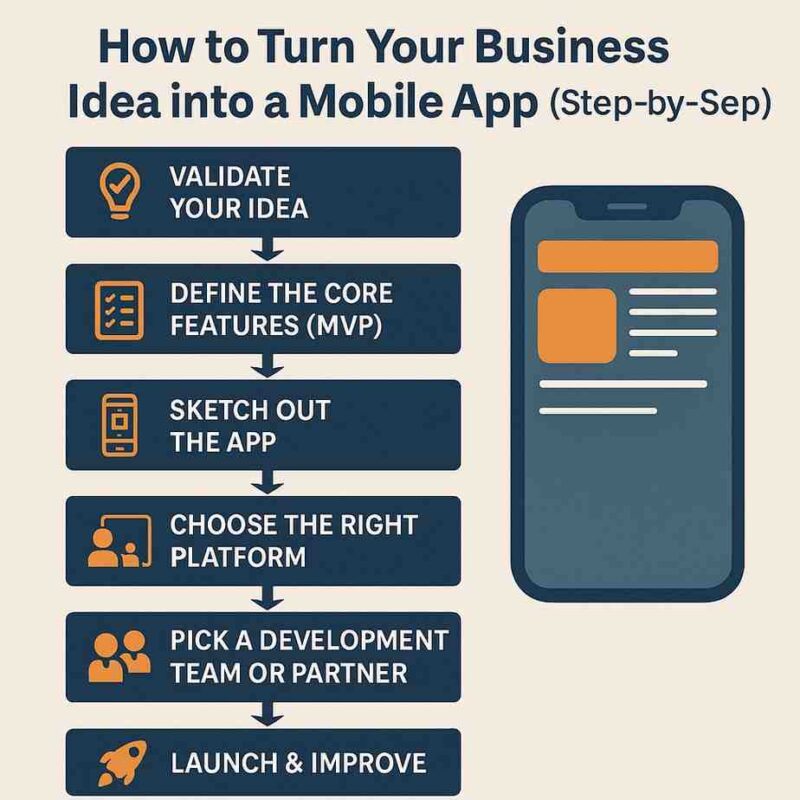
Do you have an amazing mobile application idea that could completely transform your business? Whether you want to create a booking app for your service business, a loyalty platform for your café, or the next big social tool, it’s easier than ever to turn an idea into a fully functional mobile app in 2025. Still, the proper group, equipment, and approach are required.
From inception to release, this all-inclusive guide will show you how to take your business idea and make it into a profitable mobile application.
✅ Step 1: Validate Your Idea
Make sure your idea has practical potential before devoting time and resources to development.
Ask yourself:
-
Does this solve a real problem?
-
Who are the target users?
-
Are there existing apps doing something similar?
-
What makes yours different?
Tools to help:
-
Google Trends: Gauge search interest.
-
AnswerThePublic: See what people are asking.
-
Surveys/Interviews: Collect feedback from your audience.
-
App Store research: Check ratings and reviews of similar apps.
✅ Step 2: Define the Core Features (MVP)
Don’t construct everything at once. Concentrate on your MVP, or minimum viable product, which is the most basic iteration of your app that offers your primary benefit.
Examples:
-
Only ordering and payment features are needed for a food delivery business.
-
Reminders, class scheduling, and user login for a fitness coach.
Create a feature list:
-
Must-have (for MVP)
-
Nice-to-have (for future updates)
-
Optional (based on user feedback)
Keep it lean and focused at the beginning.
✅ Step 3: Create Wireframes for the App
Being a designer is not necessary. To see how your app will function, start with basic wireframes.
Tools to use:
-
Pen and paper
-
Figma (free design tool)
-
Balsamiq
-
Whimsical
Focus on user flow:
-
What happens when they open the app?
-
Where does each button lead?
-
How many steps does it take to complete the main task?
✅ Step 4: Choose the Right Platform
Native vs Cross-Platform:
-
Native (Swift for iOS, Kotlin for Android): More expensive, but better performance.
-
Cross-platform (Flutter, React Native): Use a single codebase for both platforms, which saves time and money.
Cross-platform is ideal if your audience is diverse or worldwide. Native may be preferable for apps that are specific to a given industry (such as gaming or AR/VR).
✅ Step 5: Pick a Development Team or Partner
You have three options:
-
Freelancers – Cost-effective, but riskier without project management.
-
Development Agency – More expensive but professional and end-to-end.
-
In-house Team – Good for ongoing development if you have the budget.
Make sure they:
-
Have a portfolio in mobile apps.
-
Use version control (e.g. Git).
-
Can work in agile sprints.
-
Offer UI/UX design, not just coding.
If you’re in the UK, seek out teams that have experience with GDPR and UK-based compliance.
✅ Step 6: Design the User Interface (UI) & User Experience (UX)
Great design is more than looks—it’s about usability.
UI/UX essentials:
-
Easy-to-read fonts
-
Clear icons and navigation
-
Logical flow of screens
-
Fast response time
-
Colour schemes that match your brand
Refer to design systems such as the Human Interface Guidelines (iOS) or Material Design (Android).
✅ Step 7: Develop & Test
Typically, development takes place in sprints, with each sprint concentrating on a single feature.
During development:
-
Communicate regularly with your team.
-
Get test builds (APKs, TestFlight) to try features early.
Testing types:
-
Functional Testing: Does it work?
-
Usability Testing: Is it intuitive?
-
Performance Testing: Is it fast and stable?
-
Security Testing: Is user data protected?
You should test on real devices, not just simulators.
✅ Step 8: Prepare for Launch
Prepare everything else before submitting your app to app stores:
Key launch elements:
-
App Store screenshots
-
App description with keywords
-
App icon and splash screen
-
Privacy policy and terms
-
Beta testers for feedback
Register as a developer on:
✅ Step 9: Launch Your App
When your app is ready, submit it to the Apple App Store and Google Play Store.
App approval can take:
-
1–3 days (Google)
-
Up to 7 days (Apple, longer for first-time developers)
Market your launch via:
-
Email campaigns
-
Social media
-
Influencers
-
Press release or blog article
-
App store optimisation (ASO)
✅ Step 10: Gather Input and Make Improvements
Your real work starts after launch. Iterate after gathering insights.
Tools to track:
-
Firebase Analytics
-
Mixpanel
-
App Store Reviews
-
User surveys
Fix bugs, add new features, and provide updates to keep users interested.
🧠 Bonus Tips for 2025
-
Use AI chatbots for onboarding and support.
-
Add dark mode and voice commands for accessibility.
-
For desktop compatibility, budget for PWA (Progressive Web Apps) support.
-
Consider monetisation: subscriptions, in-app purchases, ads.
🧭 Conclusion
It’s exciting to turn your business idea into a successful mobile app, but it requires careful planning, the right tools, and a well-defined process. You’ll lay a solid foundation for creating an app that not only works but also prospers in the cutthroat digital market of today by following this step-by-step guide.
In 2025, the world will be more mobile than ever before, so your idea could become the next big thing. So why wait?